DevBytes-For Busy Developers
- 4.5
- Rating
- 5.00M
- Installs
- Free
- Price

 Analysis by App-foxy
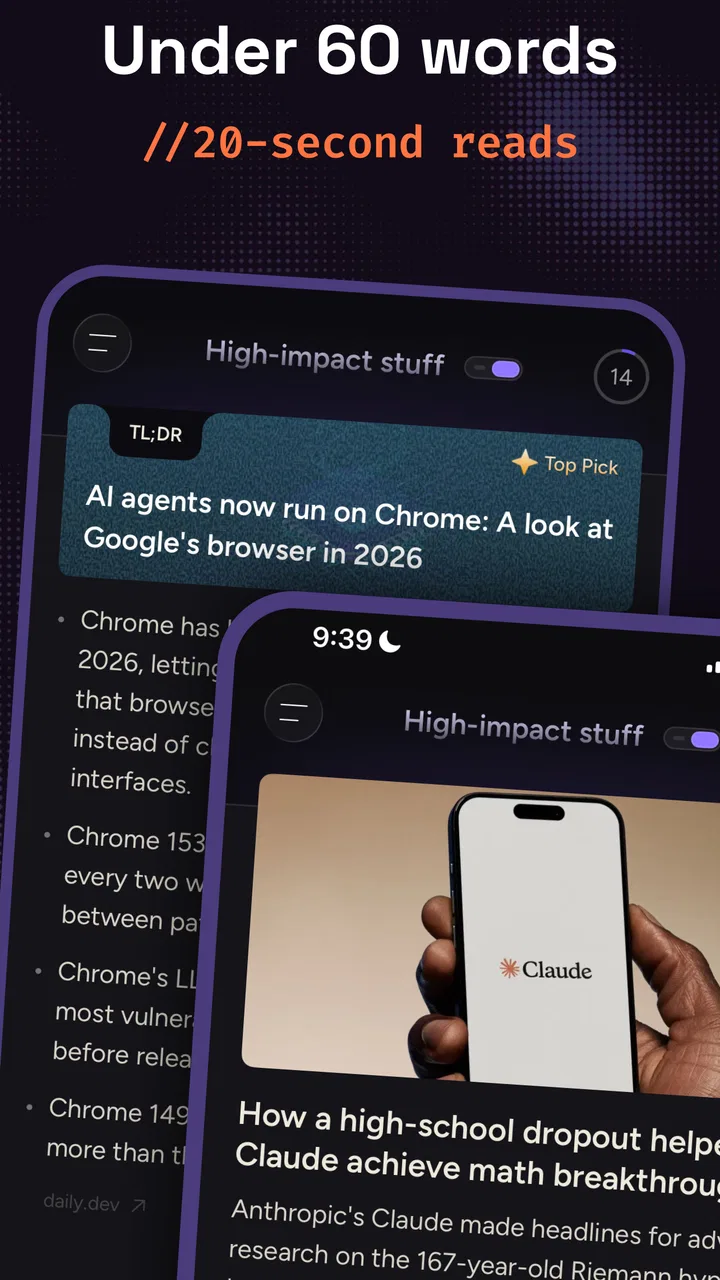
I like news apps that respect the difference between staying informed and losing an entire morning to an endless feed. DevBytes-For Busy Developers is built around that first goal: it brings together technology, coding, and artificial intelligence news in a compact Android reading experience. After spending time with it, I see the appeal immediately. It is not trying to replace every general news source on your phone; it is aimed at people who want a focused stream of developer-oriented topics without searching through broad headlines.
That focus makes it especially useful for a developer who checks the industry during a commute, between meetings, or while waiting for a build to finish. I found myself treating it less like a newspaper and more like a quick radar for subjects worth exploring later. Its strongest quality is the narrow editorial purpose: the app gives technology-minded readers a practical starting point, rather than asking them to assemble a reading routine from several unrelated sources.
How DevBytes feels in its current form
DevBytes-For Busy Developers is a free News & Magazines app from DevBytes: Tech, AI and Coding news. It is available for Android devices running version 6.0 or later, which makes it accessible even to people using older phones. The current version is 6.5.1, and that detail matters because the app feels like an established product rather than a newly launched experiment. It has been available since March 21, 2022, giving it time to settle into its particular role for readers who follow software and emerging technology.
You May Also Like

 AccuWeather: Weather Radar
AccuWeather Review: A Quick, Clear Forecast for Everyday Decisions
For everyday plans, the best forecast is the one you can understand quickly. AccuWeather makes rain timing, radar, and local conditions easy to act on, with a few trade-offs.

 Hill Climb Racing
Why Hill Climb Racing Still Turns Crashes Into One More Run
A tiny car, a bumpy hill and one more upgrade: Hill Climb Racing keeps resurfacing because its simple chaos makes every near-miss feel personal.

 AliExpress - Shopping App
AliExpress Makes Global Shopping Feel Personal, but Shoppers Bear the Risk
AliExpress turns a global marketplace into a pocket-sized discovery engine. Its reach is useful, its shopping loop compelling, and its trade-offs easy to miss.

 Lords Mobile: Kingdom Wars
Lords Mobile Is a Kingdom-Building Routine, Not a Quick Match
A case-by-case verdict on the building, battles, device demands, and social commitments that make Lords Mobile rewarding for some players and exhausting for others.

 PDF Scanner app - TapScanner
TapScanner Makes Paperwork Easier to Capture, Check, and Share
TapScanner makes scanning with a phone feel less like a rescue operation and more like a dependable step in getting work done. Its capture tools are useful, though not flawless.

 Block Blast!
 Shows How Much a Puzzle Game Can Leave Out
A quiet grid game shows why puzzle players increasingly value instant clarity, repeatable skill and low-pressure play—and where the genre still needs to catch up.
More From Our News Desk
View All News


The store summary describes it as a leading developer news app in the United States, but I would frame its value more simply: it is a specialized reader for people who want coding, AI, and technology headlines in one place. That distinction is important. Someone looking for world news, sports, local reporting, or a broad business briefing will probably find the subject range too limited. Someone who wants to keep up with developer conversations will understand the purpose within a few minutes.
The app has an average rating of 4.6 from around 16 thousand ratings, and it has passed 5 million installs. Those figures suggest that the concept has reached a substantial audience, but they should not be mistaken for a guarantee that every reader will enjoy the same workflow. News preferences are personal. I care more about whether an app helps me decide what deserves attention, and DevBytes performs best when I use it as a filter rather than as my only source of information.
It is also rated for Everyone, and the free price removes the usual hesitation that comes with trying a specialized news tool. I can install it, test it during a normal week, and decide whether it fits my habits without committing to a subscription. For students, junior developers, and curious readers who are building their first technology news routine, that low barrier is a meaningful advantage.
A useful first stop for technology reading
My preferred way to use the app is in short sessions. I open it when I have five or ten minutes, scan the available headlines, and choose only the items connected to a project, a language I am learning, or a technology I want to understand. That approach prevents the app from becoming another noisy notification source in my day. It also makes the distinction between reading and research clearer: DevBytes helps me discover subjects, while deeper technical decisions still require documentation, release notes, and primary sources.
That trade-off is common in developer news, but the focused subject area makes it more manageable here. A general news app may mix a technology headline with politics, entertainment, finance, and local stories. That is useful for broad awareness, but it can make a quick developer check feel inefficient. DevBytes is better when my question is, “What is happening around coding and AI?” rather than, “What happened everywhere today?”
I would recommend it to someone who wants a lightweight daily habit, especially if that person follows more than one technical field. A web developer may want occasional AI coverage; an AI enthusiast may want coding news; a student may want both while learning. The overlap between those subjects gives the app more practical value than a feed devoted to one narrow programming language.
Where it fits beside familiar alternatives
Compared with a general news application, DevBytes offers less breadth but a clearer reason to open it. Compared with a social feed, it should be less distracting because the purpose is reading rather than conversation and reaction. Compared with visiting individual technology websites, it saves the effort of remembering several sources and checking each one separately. That convenience is its main competitive strength.
There is a cost to aggregation, however. When I need the exact wording of a technical change, a complete tutorial, or authoritative guidance about an API, I would still go directly to the project documentation or the original publisher. A news reader can point me toward a development, but it is not automatically the best place to verify implementation details. I consider that a healthy boundary, not a defect unique to this app.
It also will not satisfy readers who enjoy long-form analysis more than quick discovery. If your ideal technology routine involves carefully reading one publication’s investigations, DevBytes may feel too much like a launchpad. If you prefer scanning several subjects and choosing your own follow-up reading, it makes more sense.
What the version history tells me
The presence of version 6.5.1 indicates that the product has continued beyond its initial release, but I am careful not to turn a version number into a list of imaginary improvements. A later version alone does not prove that a particular navigation change, personalization feature, or performance fix exists. What I can reasonably say is that the app is being presented as a maintained product, and that is more reassuring than choosing an abandoned reader with no visible sign of ongoing development.
For existing users, the practical question is not whether a new version sounds impressive; it is whether the current reading routine remains dependable. I would update normally, then spend a few minutes checking the areas I use most: opening the main feed, moving between stories, returning to the list after reading, and confirming that the subjects I care about are still easy to find. That small check is useful after any app update, particularly for a news tool that depends on quick access.
New users should approach version 6.5.1 as the current baseline, not as a promise about future direction. The app’s identity is already clear: focused developer news, free access, and support for a wide range of Android devices. I would choose it for those current qualities rather than expecting it to become a full research platform.
A realistic day with the app
Imagine a developer starting work on a small automation project. During breakfast, they open DevBytes and scan technology and AI headlines without trying to read everything. One story catches their attention because it relates to a tool they may use later. Instead of stopping the morning to investigate every detail, they note the subject and continue with the workday. At lunch, they return to it, read the relevant item, and then open a separate primary source to check the technical details.
That is the workflow I think suits the app best. It creates awareness without pretending that awareness is the same as mastery. The first session helps me notice what may matter; the second session helps me decide whether it actually matters to my project. Used this way, the app can support professional curiosity without turning every headline into an urgent task.
Students can use it differently. A student learning to code might browse it to discover vocabulary and recurring themes, then save the unfamiliar terms in notes for later study. The benefit is not that every story becomes a lesson, but that the app exposes the reader to the wider conversation around programming. The limitation is that beginners may need another resource beside it because news assumes context that a tutorial would explain more carefully.
Small habits that make the experience better
My first practical tip is to read with a question in mind. Before opening the feed, I decide whether I am looking for general awareness, ideas for a current project, or a subject to study. That simple choice reduces aimless scrolling and helps me judge whether a headline deserves a deeper look.
My second tip is to separate discovery from verification. If a story influences a coding decision, I do not rely on the headline or a short article alone. I follow the subject to official documentation, a project’s own announcements, or another authoritative source. DevBytes is valuable at the discovery stage, but technical accuracy matters too much to outsource a production decision to any aggregator.
My third tip is to use the app as a cross-topic bridge. Instead of reading only the subjects I already know, I occasionally follow an unfamiliar AI or coding topic and write down the terms that appear repeatedly. This turns a quick news session into a lightweight learning exercise. It is especially useful for developers who are comfortable in one area but want to understand how adjacent technologies may affect their work.
A fourth useful habit is to avoid treating every update as immediately actionable. Technology news often describes possibilities, announcements, or early developments. I ask myself whether the item affects a tool I use today, changes a decision I am about to make, or is simply interesting background. That filter keeps the app from creating unnecessary urgency.
What may frustrate experienced readers
The focused subject range can become a limitation if I want a complete daily briefing. DevBytes does not replace a general news service, a dedicated programming reference, or a carefully curated long-form publication. I need other sources when I want local context, detailed reporting, or authoritative technical instructions. Readers who expect one app to cover all of those needs may find themselves switching often.
There is also a difference between being informed and being well informed. A concise technology story can tell me that a topic deserves attention, but it may not provide enough context to judge the consequences. I sometimes finish a quick read with more questions than answers. That is not necessarily bad—the questions can guide useful research—but it means the app works best for active readers who are willing to continue elsewhere.
Busy developers should also be honest about their attention. A specialized feed can still become a distraction if opened whenever work becomes difficult. I would avoid checking it during focused coding sessions and reserve it for a planned break. The app is most helpful when it supports a routine, not when it interrupts one.
Privacy-conscious users may reasonably want to inspect the app’s current permissions and settings before making it part of a daily habit. I would do that directly on the device and keep notifications limited to what I genuinely need. Since the app is free, I would also judge it by whether the reading value justifies the attention it asks for, rather than assuming that free automatically means costless.
Who should install it, and who should skip it
I think DevBytes is a good match for developers, coding students, technology professionals, and AI-curious readers who want a dedicated place to scan relevant news. It is also suitable for someone who has tried broad news apps but keeps missing the technology stories that matter to them. The free model makes experimentation easy, and the Everyone rating makes it approachable for a wide audience.
I would skip it if my main need were exhaustive reporting, local news, formal technical documentation, or a single publication’s deep editorial voice. I would also skip it if I already have a carefully maintained reading system that gives me exactly the developer coverage I need and I do not want another feed to manage. More sources are not automatically better; the right choice depends on whether this app reduces friction or adds another place to check.
For a new Android user, the minimum operating system requirement of 6.0 or later is worth checking before installation. Most people with a reasonably modern device should find that straightforward, while owners of very old phones may need to confirm compatibility first. Beyond that, the main decision is about editorial fit rather than technical ambition: do I want a focused technology reader, or do I need a broader information service?
What I would watch going forward
As I continue using the app, I would watch how well its current focus keeps pace with the changing relationship between coding and AI. Those areas move quickly, and a useful reader needs to remain relevant without turning every passing trend into a headline. I would also pay attention to whether the reading flow stays quick and clear as the product evolves. For this kind of app, simplicity is not a minor detail; it is part of the reason to open it.
I would also look for signs that the experience remains helpful to both experienced developers and people still learning. Advanced readers need enough relevance to avoid wasting time, while beginners need enough clarity to understand why a topic matters. That balance is difficult, and it will shape whether DevBytes remains a practical daily tool or becomes merely another stream of links.
My current view is positive but measured. DevBytes-For Busy Developers succeeds when I use it as a focused doorway into coding, AI, and technology news. Its free access, broad Android compatibility, established presence, and clear subject focus make it easy to recommend as a starting point. I would not use it as my only source for serious technical decisions, and I would not expect it to replace general news or deep documentation.
For the right reader, that limitation is actually part of the appeal. I open it to discover what deserves my attention, not to pretend that one short session can explain the entire technology world. If you want a compact developer-news habit and are comfortable checking primary sources when the details matter, it is worth trying. If you want comprehensive reporting or step-by-step learning in the same place, a broader combination of tools will serve you better.
FAQs for DevBytes-For Busy Developers
01What is DevBytes and how does it benefit busy developers?
DevBytes is a mobile application designed specifically for developers who need quick access to the latest coding tips, tutorials, and news. The app provides bite-sized information that can be consumed on the go, making it perfect for those with tight schedules. By offering concise and relevant content, DevBytes helps developers stay updated without dedicating too much time.
02Does DevBytes support both Android and iOS platforms?
Yes, DevBytes is available for both Android and iOS platforms. It ensures a seamless experience across devices, allowing developers to access the app's features whether they are using a smartphone or tablet. This cross-platform availability makes it convenient for developers who switch between devices.
03What kind of content can I expect from DevBytes?
DevBytes provides a variety of content including coding tutorials, industry news, and best practices in software development. The app is curated to deliver short, digestible pieces of information, enabling developers to quickly learn or update their skills without having to sift through lengthy articles or videos.
04Is DevBytes free to use, or does it require a subscription?
DevBytes offers a free version with essential features accessible to all users. However, there might be premium content or advanced features that require a subscription. This model allows users to try the app and decide if they need additional resources, providing flexibility in how they choose to use the service.
05How frequently is the content on DevBytes updated?
The content on DevBytes is updated regularly to ensure that developers have access to the most current information. Updates can occur daily or weekly, depending on the type of content. This frequent updating ensures that users are always getting the latest insights and developments in the tech industry.
Pros
- User-friendly interface for quick navigation.
- Rich library of coding tutorials and tips.
- Offline access to saved content.
- Regular updates with new features.
- Supports multiple programming languages.
Cons
- Limited free content availability.
- Occasional bugs in offline mode.
- No community interaction features.
- Requires account for personalized content.
- Ads can be intrusive to user experience.

DevBytes-For Busy Developers
Gallery